
Grandfather Homer Carter
in his Conductor Uniform
I don’t know about you, but the advent of digital photography has led to a countless number of photographs that have ended up on my hard drive. I already have a hard enough issue managing the 17,000 + photographs that I’ve taken over the past 12 years. Creating a variety of folders, and allowing windows to sort them by year have helped.
But then I was introduced to Lightroom last year and came across a new host of possible ways of archiving, cross-referencing and cataloging these photos. Time to throw my hands up in defeat! Tags, flags, stars and colors? What am I to do? I finally learned that all folder maintenance must be done within Lightroom, otherwise the program can’t find the file on the hard drive. I create a folder for the current year, then a subfolder for the main subject, then a sub-sub folder for “edited” exported Lightroom photos. This has kept the folder count down and manageable.
But then the unimaginable happened. Just when I started to feel as if I was getting a handle on all my photos, I went to Florida to clean out my mother’s house. Buried under the mountain of papers and boxes in her office, I discovered that my mother had over 50 years of photographs stashed away. Let’s just say I came across THOUSANDS of photographs, and they did me in. Yes, panic did set in and I had to set my tenacious sister who was willing to trudge through them for the best photos.
What am I supposed to do with so many hard copy photographs? Do I really need every single photo taken of one person? My mother loved to take photos of us from the worst possible angles, like from behind. So those quickly found their way into the trash. Others though, are worthwhile to be treasured for generations to come.

My Great-Aunt “Dot” Martin Critchfield
with Thanksgiving Dinner
I was excited to get my hands on these black & white photos from my father’s family. After much consideration, I decided to go with purchasing a dedicated scanner for photos instead of sending the photos out to a scanning service. Today, I ran to Office Depot and picked up a Epson Perfection V500 Scanner. (links to reviews on B&H Photo) for instant gratification. Internet research came up with the recommendation of using VueScan from Hamrick.
I have to admit that the software recommendation was spot on. After much trial and error, I started to get a system going that helped me scan in a few photos tonight. What totally baffles me though, is that both VueScan and the Epson software has all these wonderful high DPI counts that you can use for scanning, but you have to wait for next week for the scan to be done. I found that 800 dpi worked fast enough and the VueScan software provided adequate processing edits to help the photo. I saved the scanned photos as RAW files, then processed them in Lightroom for noise reduction, contrasts, and spot removal.
I haven’t figured out this popular ICE feature on the Epson yet, supposedly it’s supposed to scan the photo several times and reduce dust and scratches. It appears to be faster just to scan the photo in and make the appropriate corrections in Lightroom.
I’d love to hear from you as to how you manage your portfolio of digital and hard copy photos. Surely there are some wonderful “best-practices” we can all benefit from.
So I’ll close this post with this – it’s really my DNA’s fault that I love horses so much. Both my Great Aunt Dot, and my Grandfather had horses. No wonder I wanted one !!

Grandmother Mabel Martin Carter
with Aunt Dot’s horse.
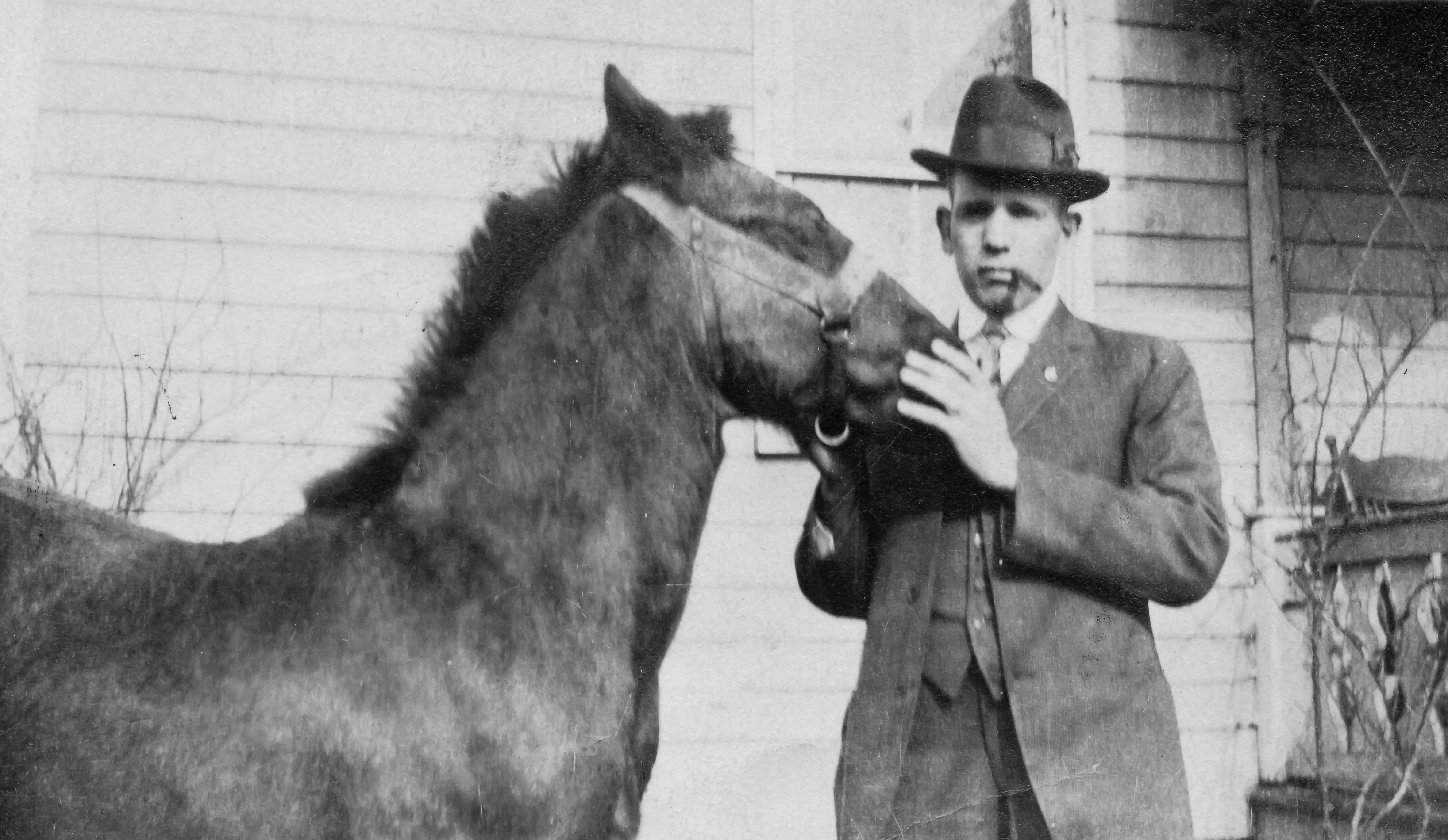
Homer Carter and his Horse

Great-Uncle Walter Critchfield
Sunday’s Carriage
Categories: All about Hoofbeats & Footprints


 Emily Carter ~ Nature as Art
I am weird, it seems I can never delete a card, no matter how many places I upload my photos. Oh well, at least they are small and don’t take up much space! 🙂
But this is a good thing! One should always have a backup of photos. Memory cards are affordable enough these days and are easy to store. Backups are a whole other conversation. What hosting sites do you use for photo backups?
Just love this kind af stories… 😉
Thanks Drake ! It is a magical, but also HOT place as the flats reflect the high altitude sun.
I have no idea how this response ended up here. You probably scratched your head and went “Huh?” this belonged to the Salineras post. LOL!
Loving the living history of your photos:)
Thanks Renee ! I particularly like the one of Great-Aunt Dot with a Turkey. What a character! Wish I had known her.
What a treasury finding these wonderful photos! 🙂
It is so true ! I have countless slides also from my Anthropologist father from his research in Bolivia. I can’t wait until I get into those. He also wrote on them notating what they are.
Lucky, lucky girl! 🙂
I’ll be tracking your discussion…. I have albums, and albums, and albums of similar photos — sadly, many of the names have been forgotten (we don’t seem to have a long-living family!), but I wish to do something with them nonetheless. These are just wonderful!!! I love such discoveries.
Thank you so much Fey ! I was fortunate that my aunt and grandmother wrote who was who on the back of the photos. Are there any cousins you can ask to help? It sure would be wonderful to find out who was who in your photos.
I look forward to hearing more from other readers about their photo filing struggles.
There’s some scrawl on the backs of photos, like yours — but sadly everyone’s passed who would know many of the gaps. But I’m hoping that if I digitize them, it may inspire the two remaining (my mother and aunt) to put pieces together. But what a project, eh??
Oh my goodness ! Pin them down..buy them lunch and a bottle of wine ! Whatever it takes ! LOL ! I’m sure once you show a strong interest in knowing who is who, they’ll be happy to share.
Well I have problems with handling files and photos too, but that a long story. I use LR, but need to learn more. GREAT photos, so the love of horses is genetic! 😉
That’s my story and I’m sticking to it Bente !!
I would love to hear what you do with your photo filing system as you also have a ton of photos. Also, do you use Lightroom’s capability for tagging? Thanks for your kind words on the photos. I thought they were pretty awesome too.